chapter 1: how to make an ascii circle (and sphere) in your terminal explain like im 5 🧵

0/nyou should know: c, math (yes)
gist link in the end

1/nopen your code editor >.<
make a file circle.c
lets start with inital c code
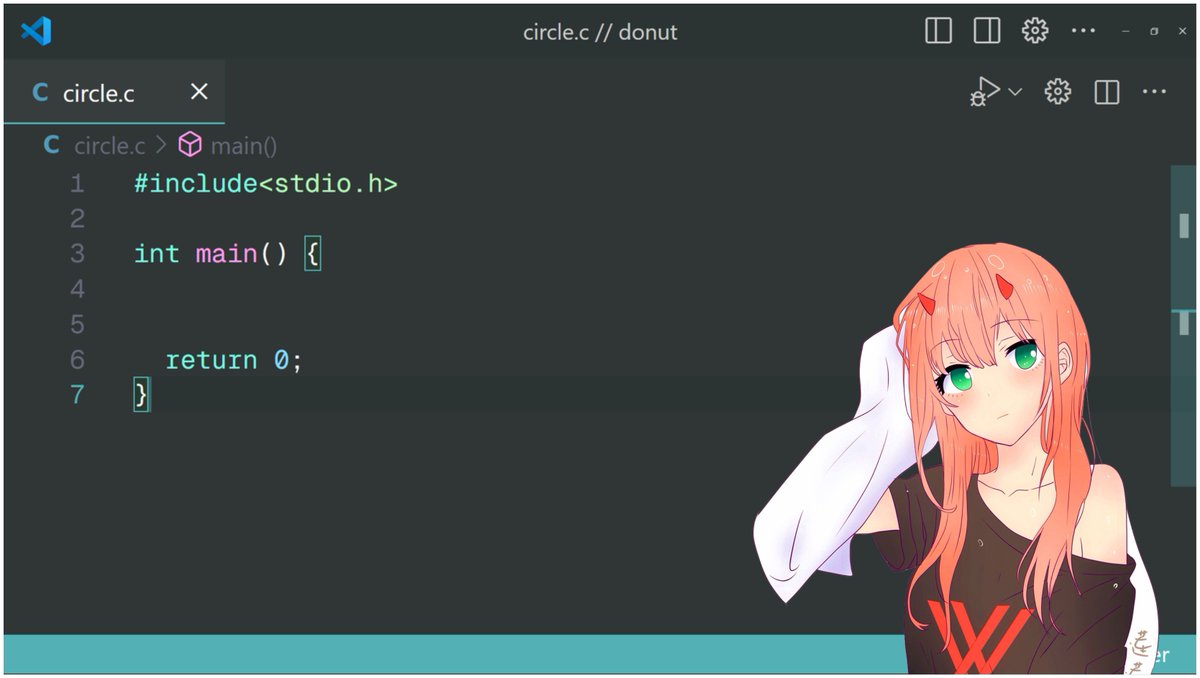
2/n declare some variables :3

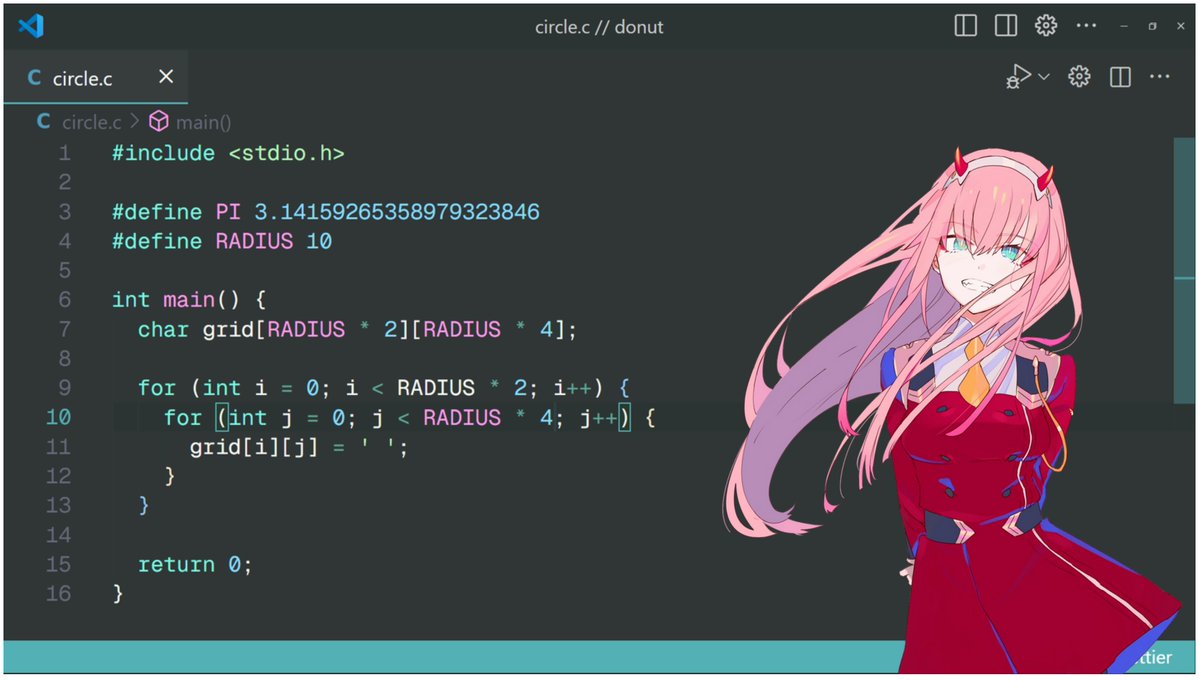
3/ndeclare a grid where we will render our characters (●'◡'●)
why radius 4 cols? because while printing, an ascii character has height = width 2, so we need double number of cols else our circle will be an oval
this grid acts like a 2d space to render 2d or 3d shapes
4/n we will loop from theta = 0 to 2 pi with step of 0.01 {{{(>_ <)}}}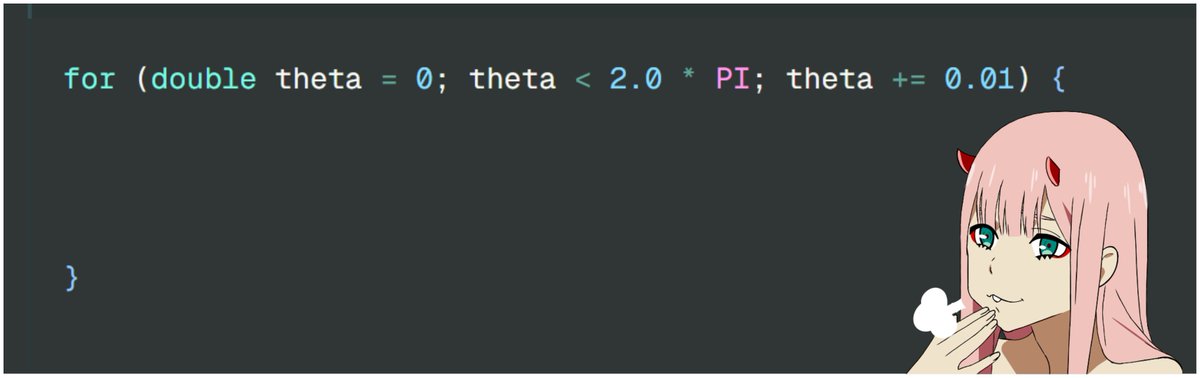
5/n polar coordinate representation of a circlewhy? https://www.mathcentre.ac.uk/resources/uploaded/mc-ty-polar-2009-1.pdf
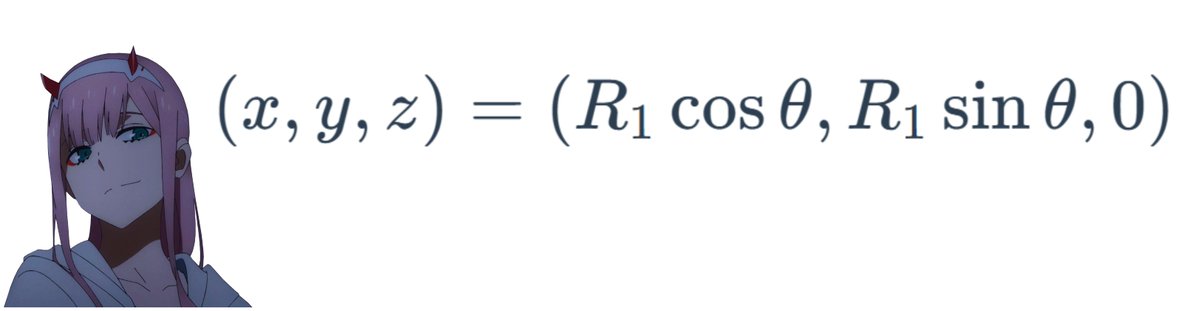
6/n declare x and y with the values =^_^=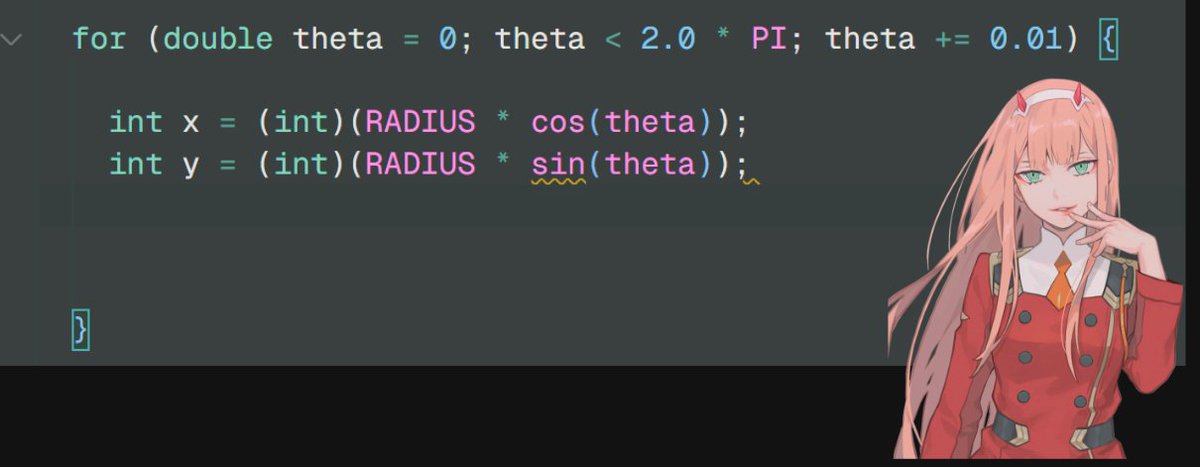
7/n but the result of this will be a quarter (example output, as we will see the printing part later) =)
8/n move the circle by the factor of radius on both x and y coordinates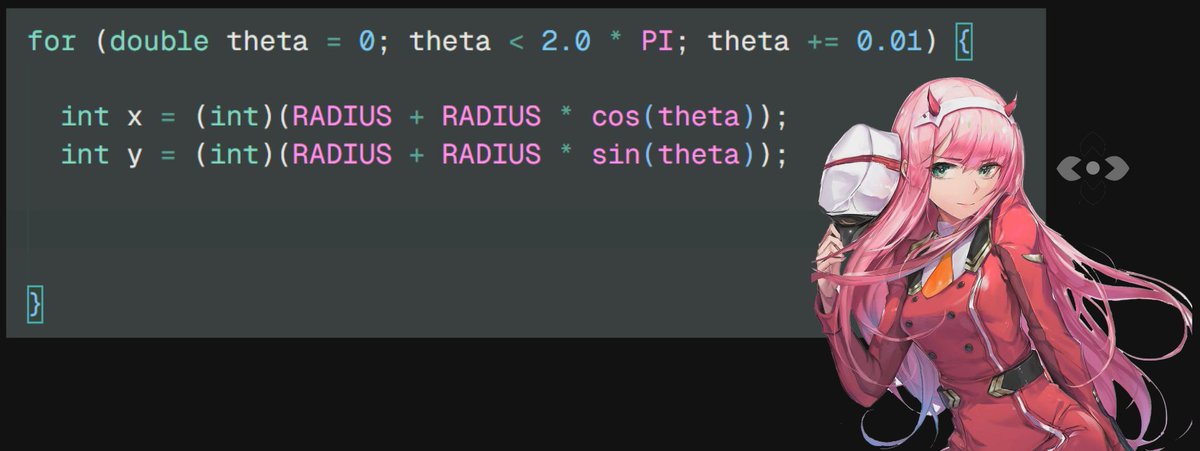
8.5/ndont forget to include the math.h ※※ chan ※※

9/n hmm but it 's still an oval???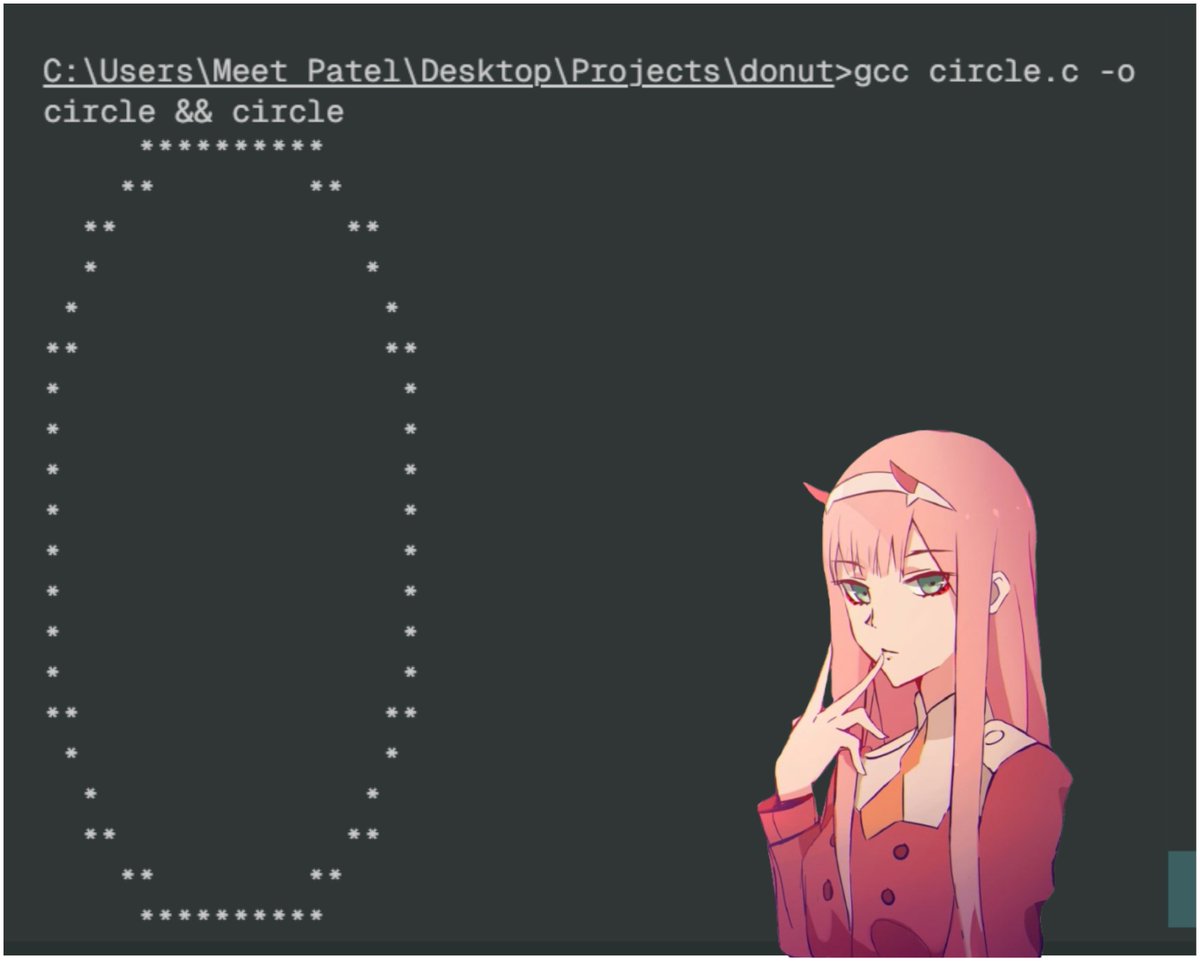
10/n nya multiply the y coordinate by factor of 2!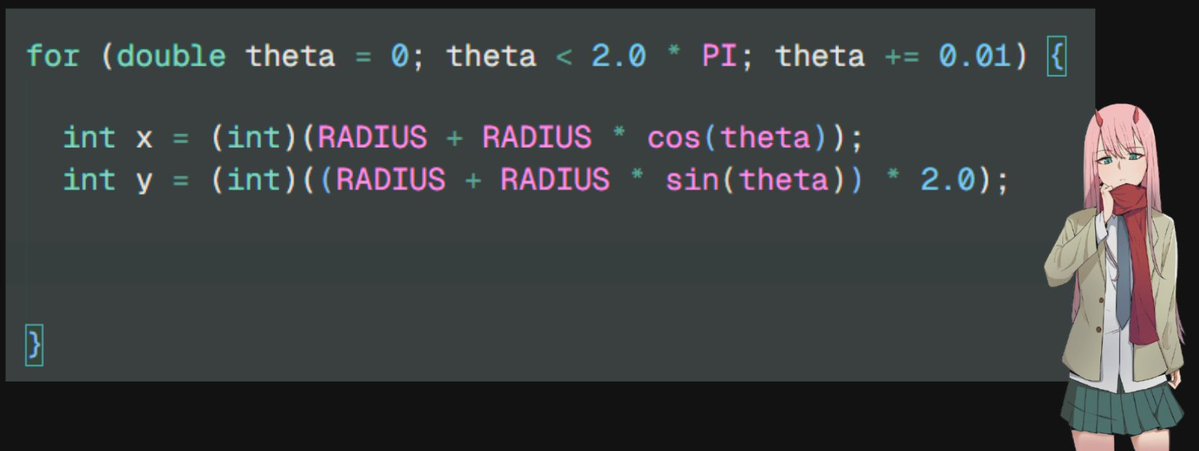
11/n an asterisk for all valid x and y values...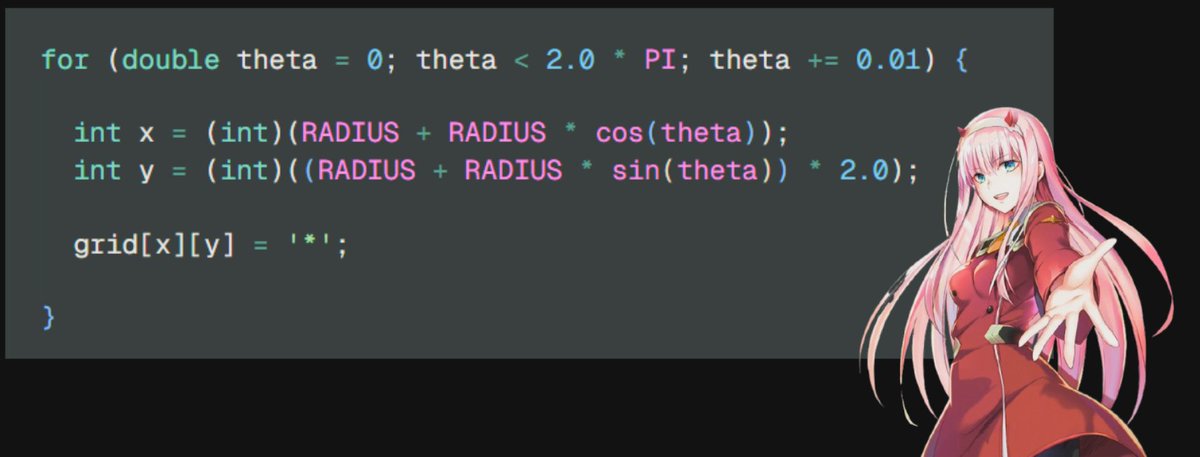
12/n oopsie, we made a mistakex is y and y is actually x
as we need 2x width and not 2x height
these are just variable names and changing their names doesnt matter
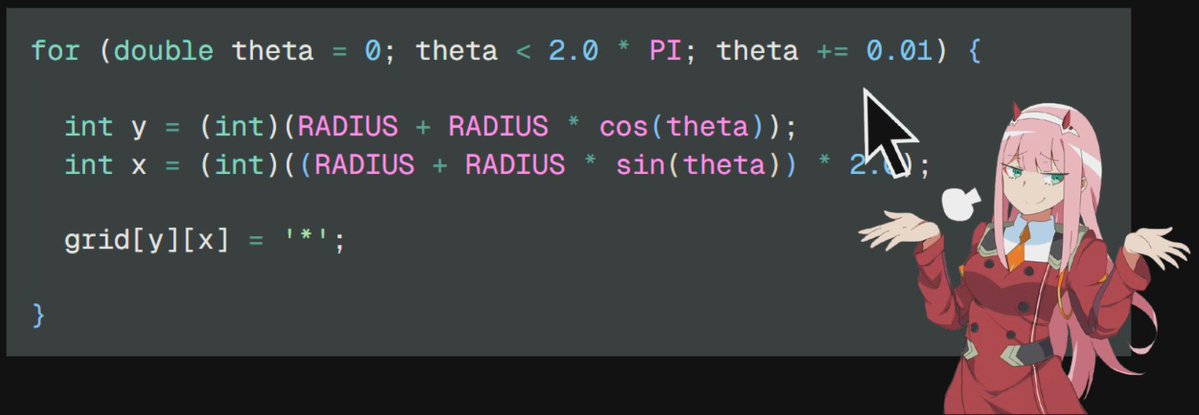
13/n print the grid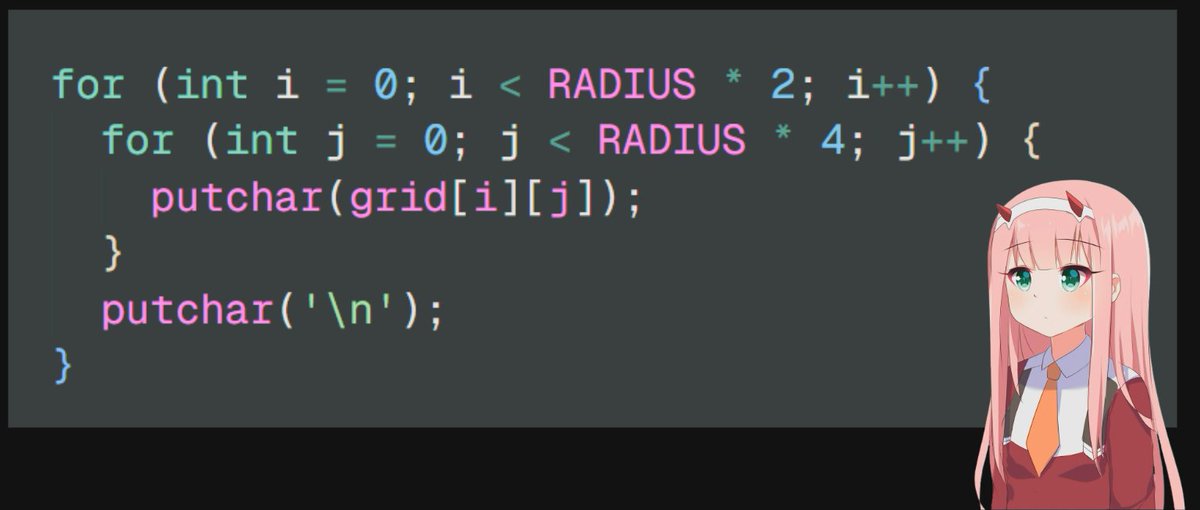
14/n gcc circle.c -o circle &&circleCIRCLEE!!!

15/n full code////gist: https://gist.github.com/ForLoopCodes/561956026cd11d3c54beb452874a2630
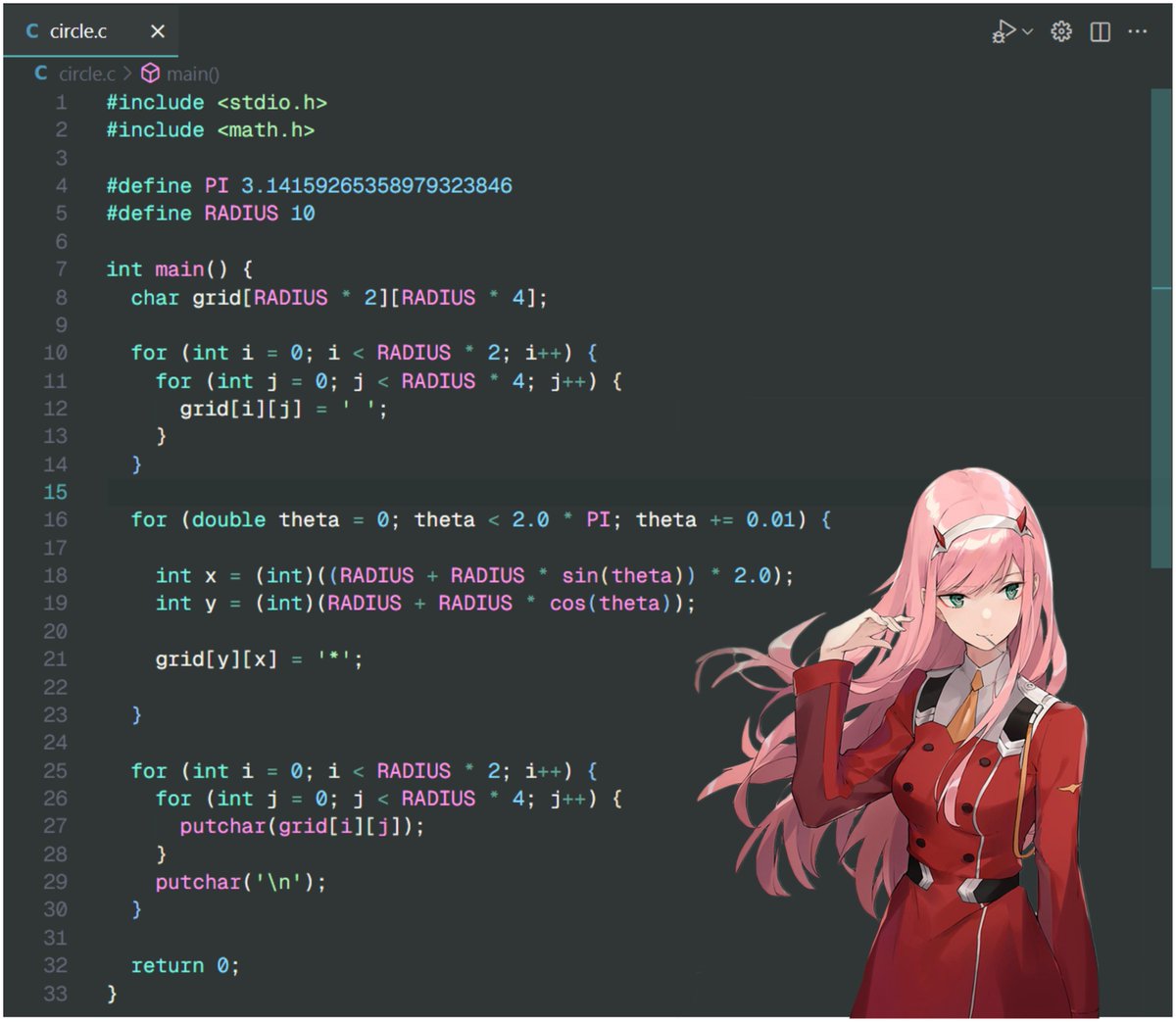
16/n btw :3 you can optimize the printing method (for future threads) by converting each row into a string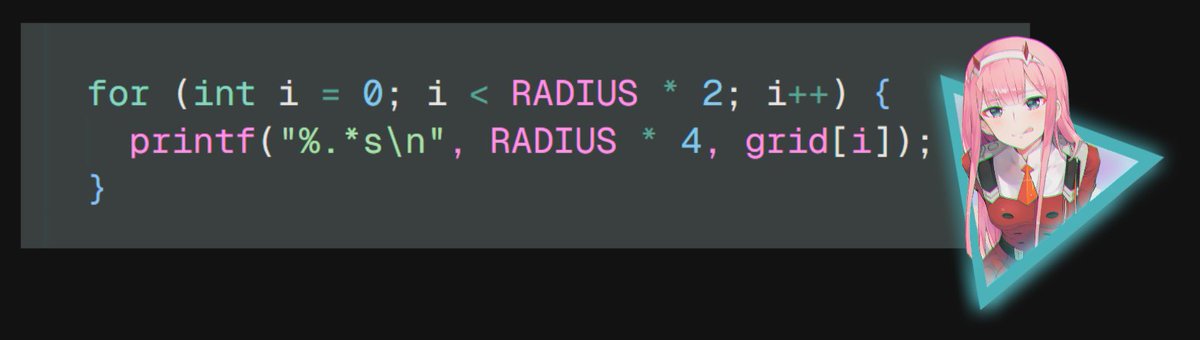
17/n hmm... what about making a spherechange the coordinate system to render 3d shapes into 2d grid
according to https://blog.demofox.org/2013/10/12/converting-to-and-from-polar-spherical-coordinates-made-easy/
x = cos(theta) cos(phi) radius y = sin(theta) cos(phi) radius z = sin(phi) * radius
also as now we have both theta and phi, we use 2 for loops :^)
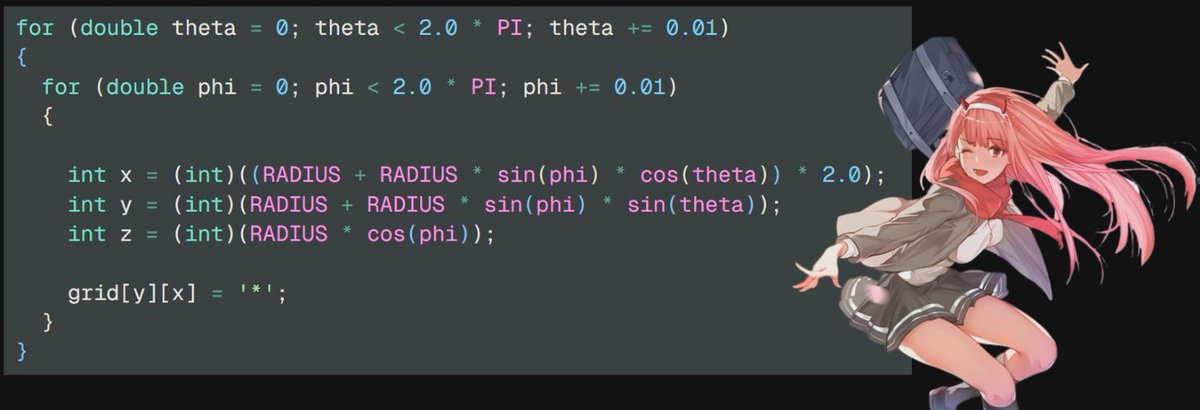
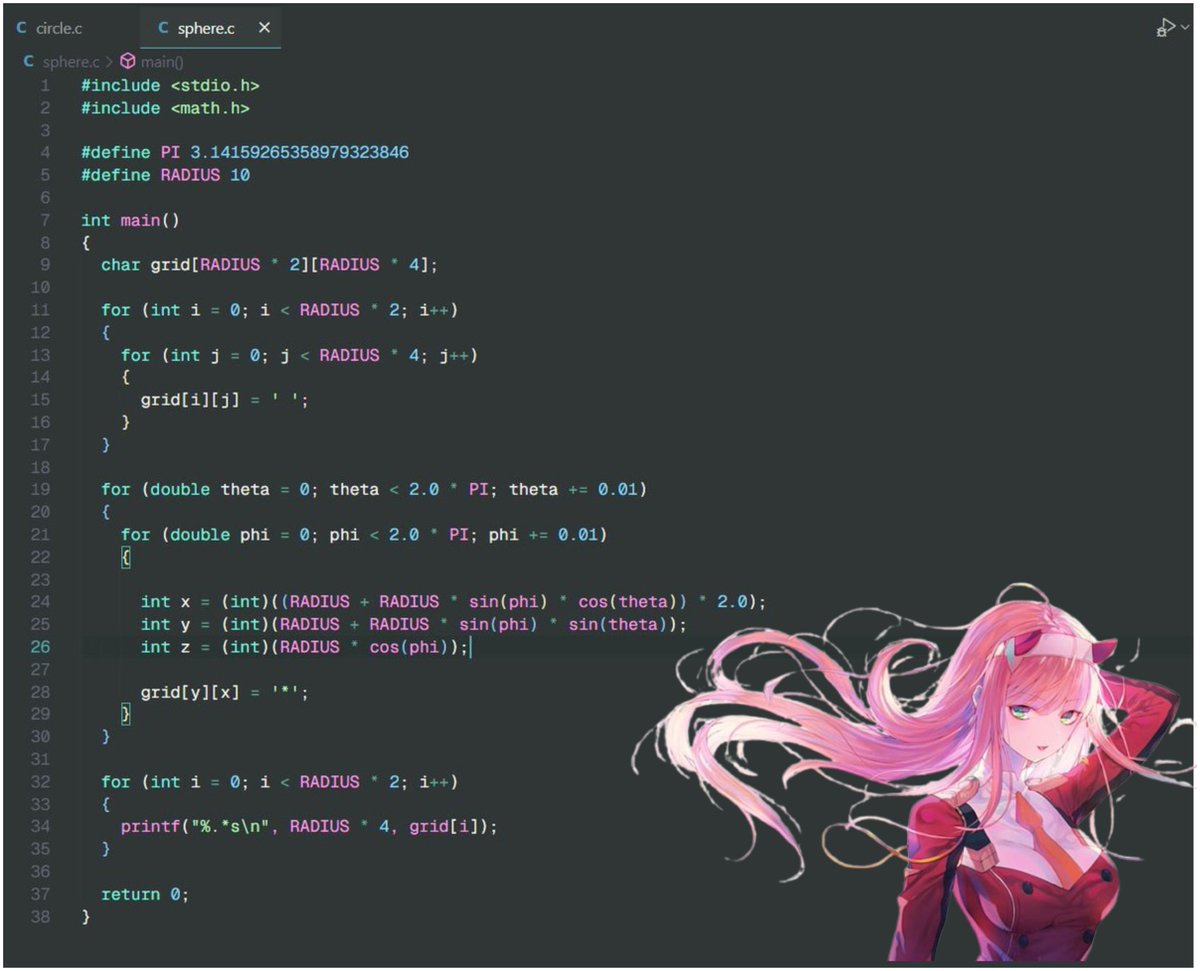
18/n sphere yayayayayayi know this looks like a filled circle, but this will help us in chapter two where we will add lights and animations to it

19/n full codegist: https://gist.github.com/ForLoopCodes/c5f6a1ebfbfd7651babc3b848892141f
follow for more!!!what we will cover next:
animations
lightings
a donut
we might make an ascii rendering engine

chapter 2: how to add lights to the ascii sphere explain like im 5 🧵
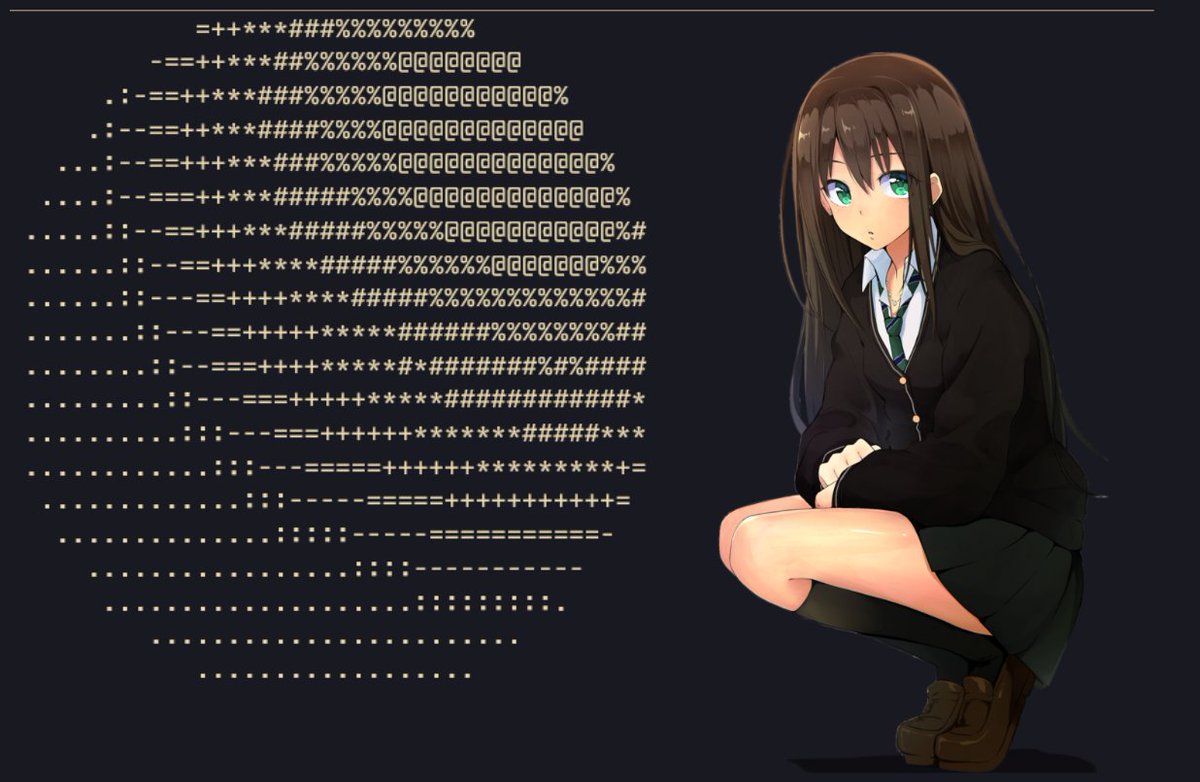
0/nthe old code did not perfectly render the sphere so i updated it
also if you dont get whats happening here, sybau read the quoted tweet 🥀🥀
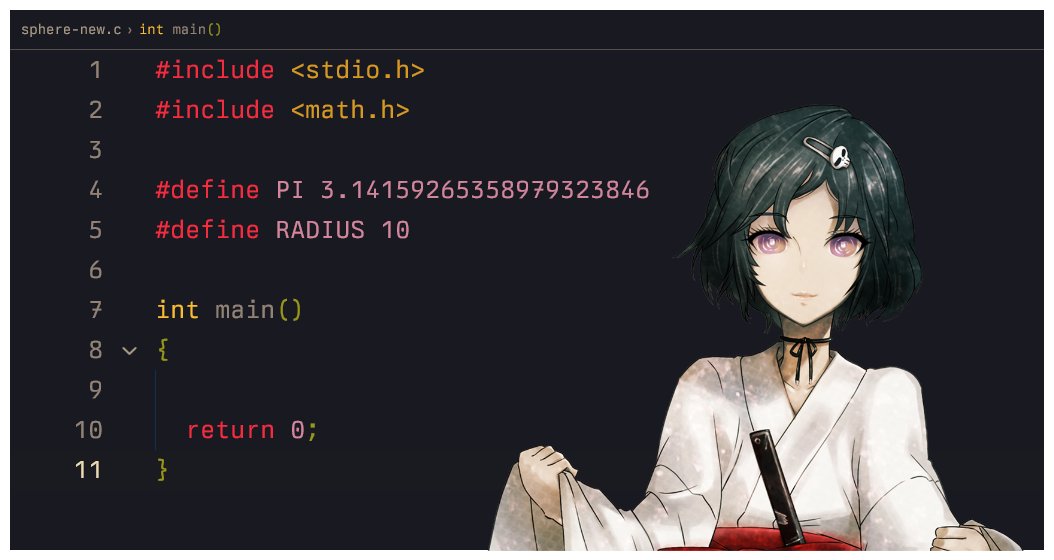
1/n code rework✨we're starting off with a new file sama
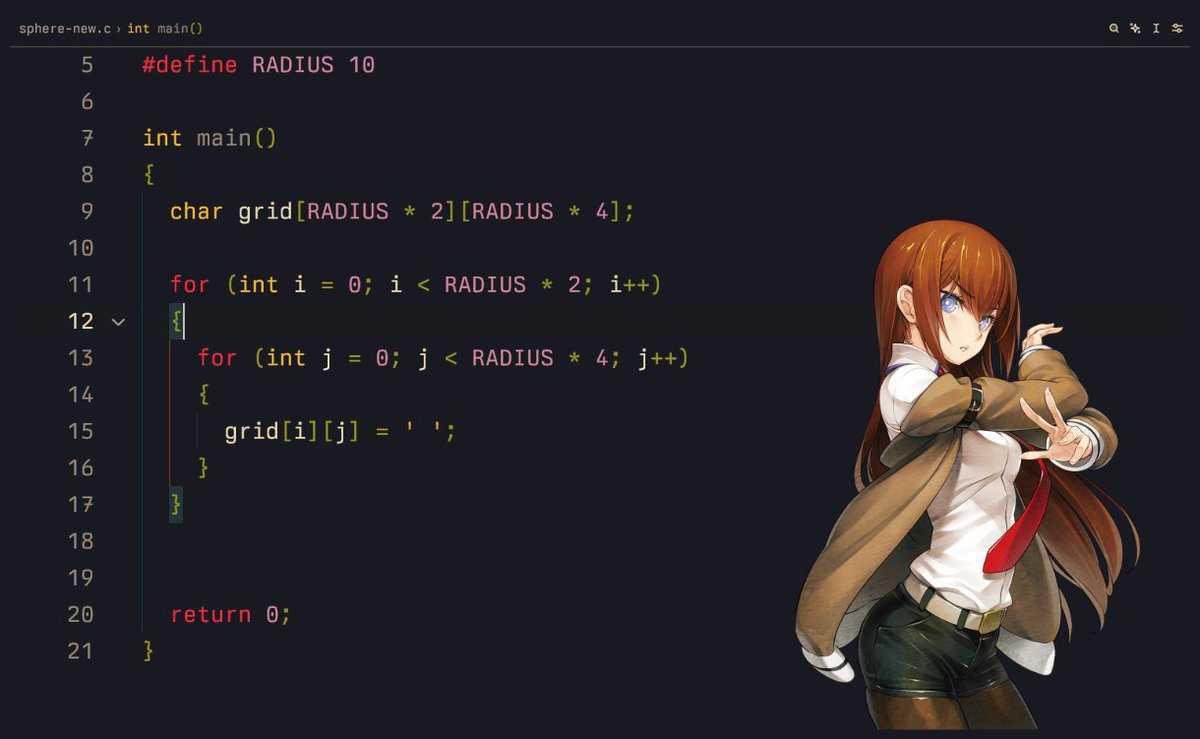
2/n gridmake the thing (2d array of chars) and fill her with blank spaces
999iq question: why radius * 4?
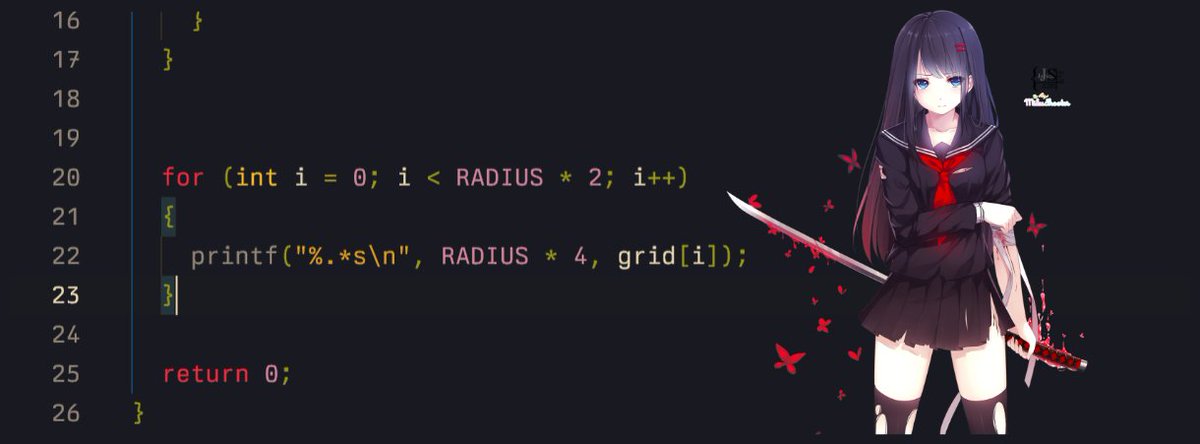
3/n print the thing :P
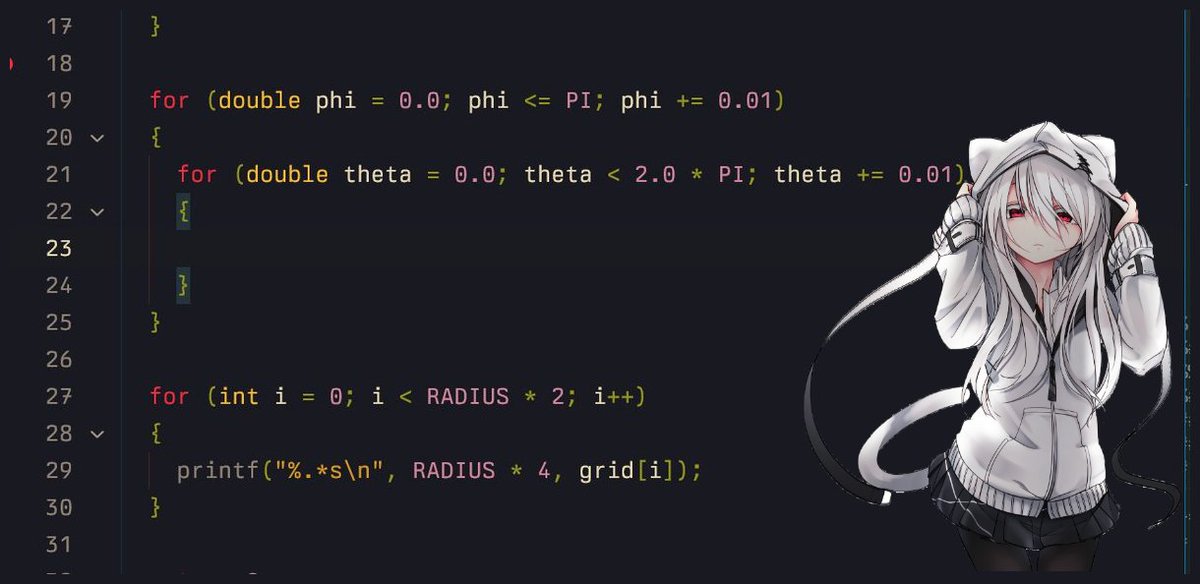
4/n double forloop (yeah, me (/ω\))phi = rotation along y-z (so we go from 0-PI) theta = rotation along x-y (so we go from 0-2PI)
(why 2PI? remember why we did 4* radius, its always 2 times)
5/n the polar formula AGHHnotice how we keep all of them in a normal form?
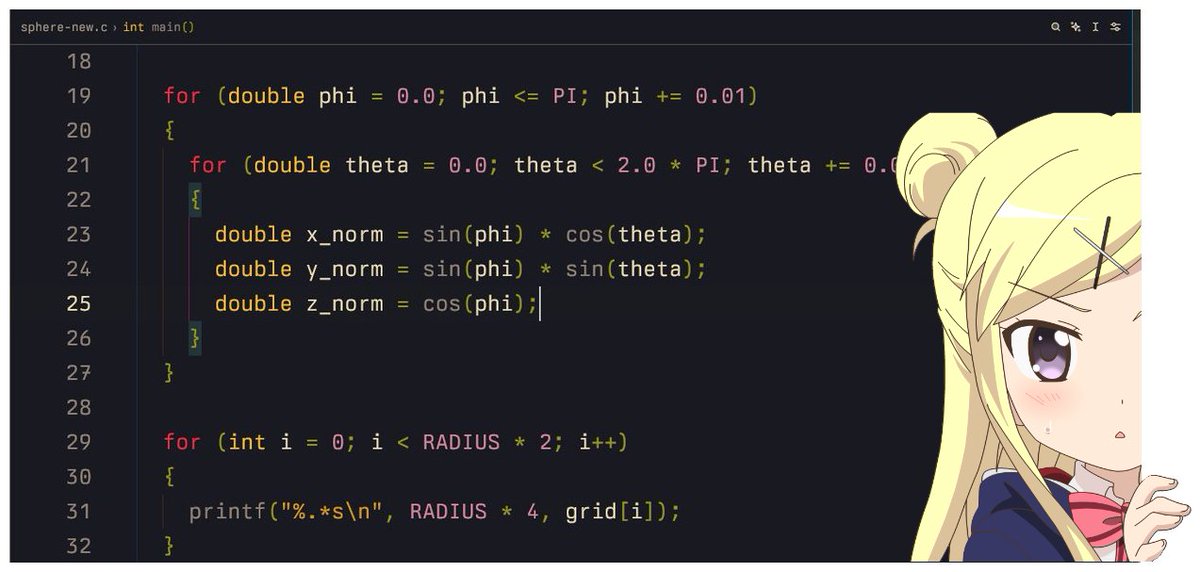
6/7 flatten the polar chan to 2-d chanwhy not use the z_norm yet? it will be used in the lighting part
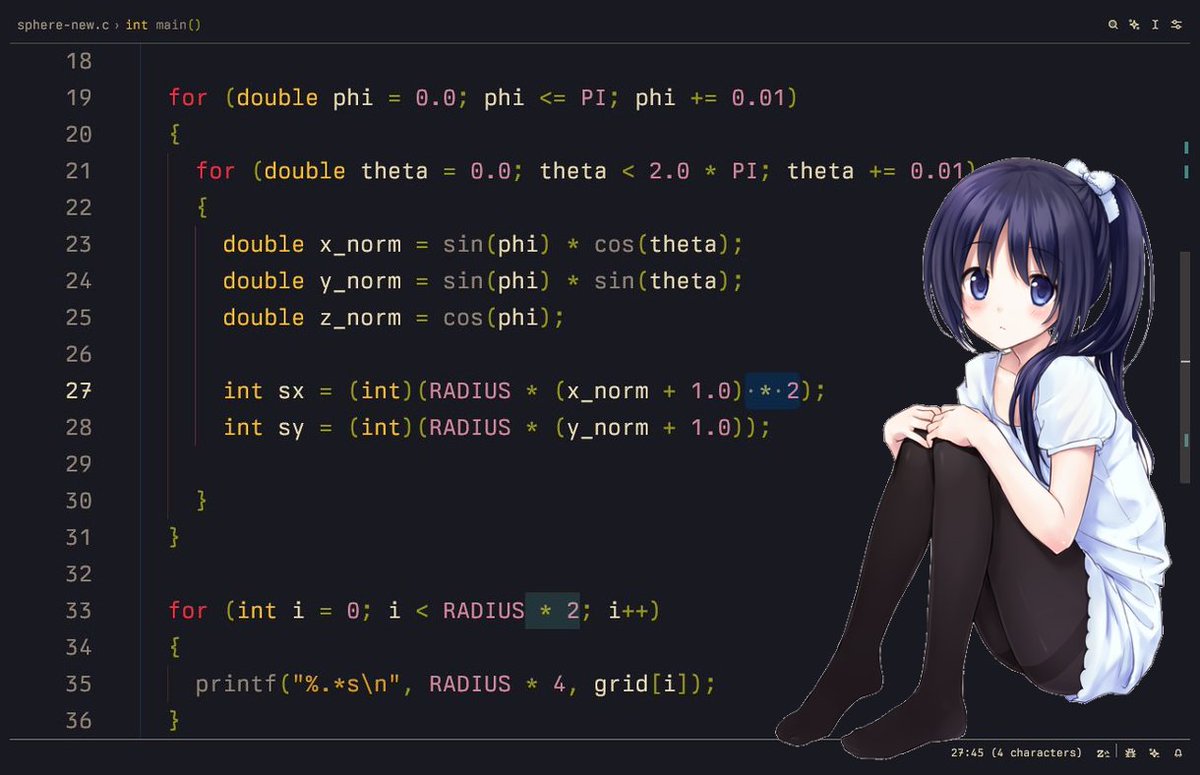
6/7 put a temporary char in the grid where we find the 2d-chans =(^_^)=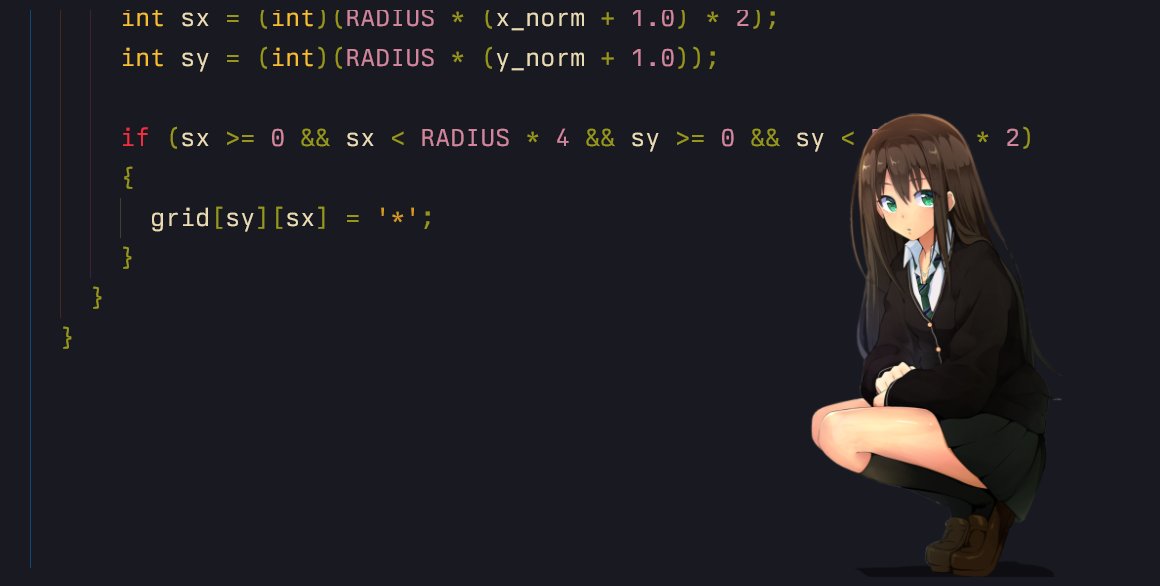
8/n the perfect sphere!!! :o
9/n but wait, dont u wanna understand how we flattened the 3d norms into sx and sy?- x_norm and y_norm range from -1 to 1
as we need a 2d mapping we dont actually care about the z_norm
"x_norm"
- what if we want to give it a radius?
as it ranges from -1 to 1, we can multiply them with R, now its -R to +R
"R * x_norm"
hmmmmmm- if we render a negative value on grid, which has positive indexes, and a size of 2R
so technically we can add R to shift negative part to the right
"(R * x_norm) + R"
= "R * (x_norm + 1)"- special case
do you remember why x was 2 times?
"R (x_norm + 1) 2"
"R * (y_norm + 1)"

10/n full new codegist: https://gist.github.com/ForLoopCodes/8709ddad85c926ad76fed46a5f31b3d4
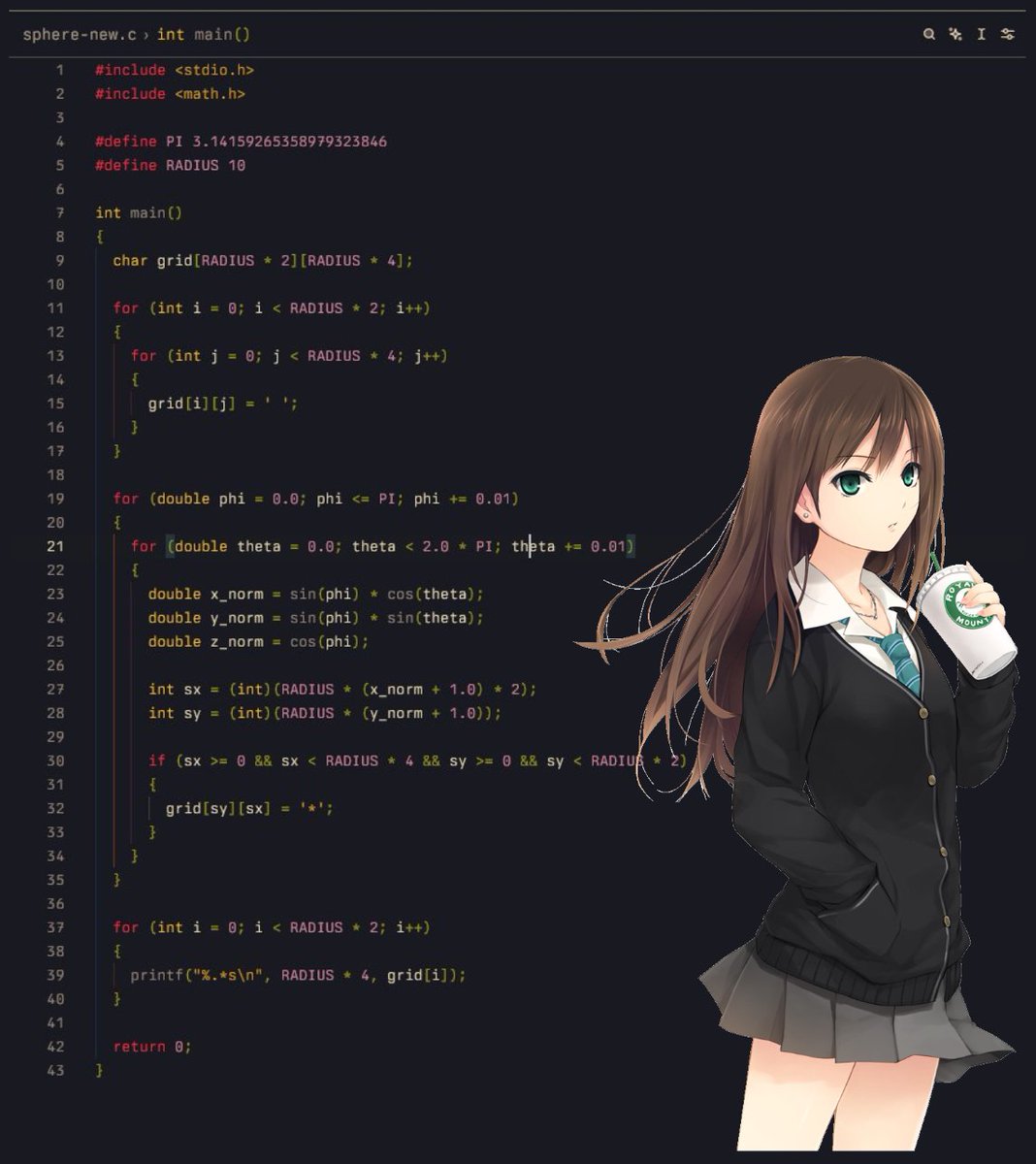
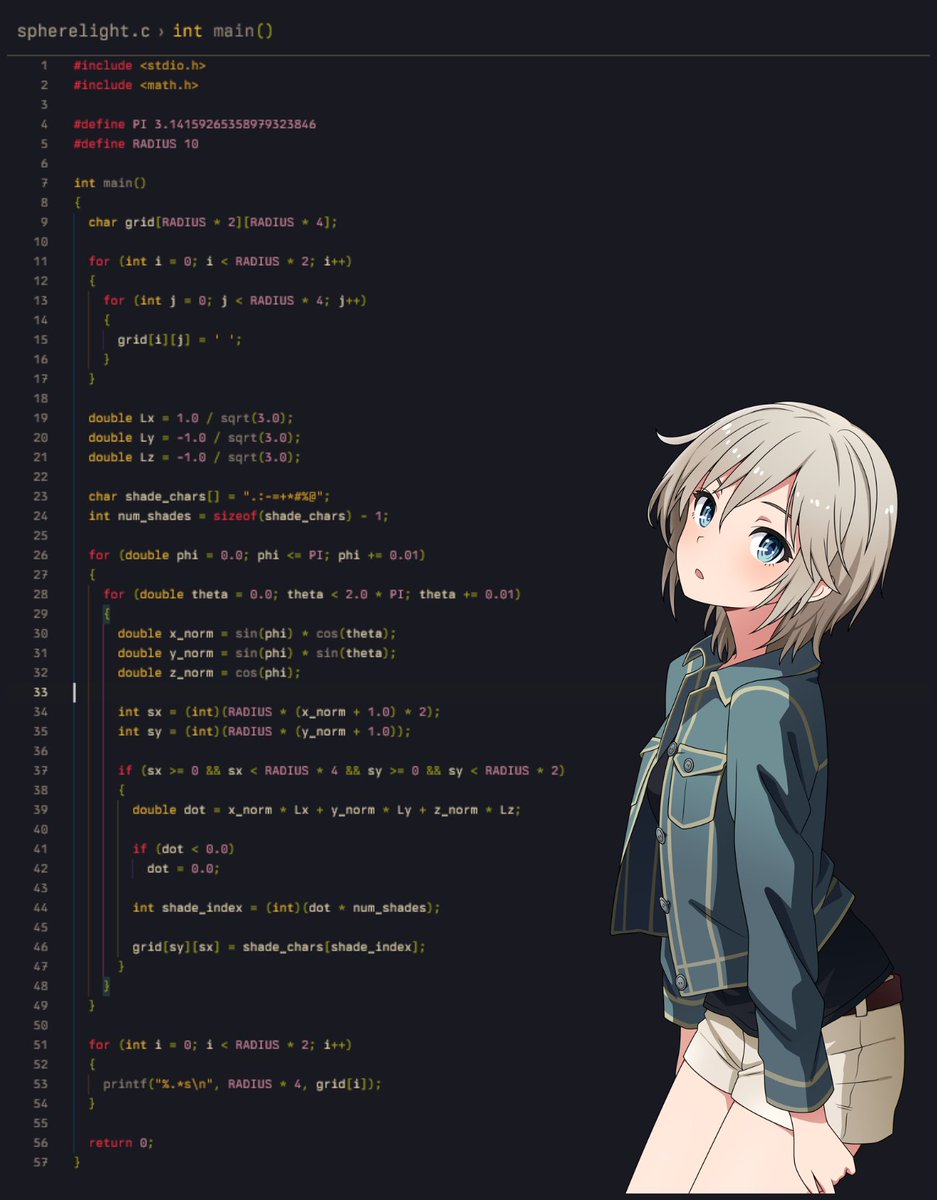
11/n adding lights ✨lets add some positions (normalized) where our light will be, and a shades array

12/n dot product 😭😭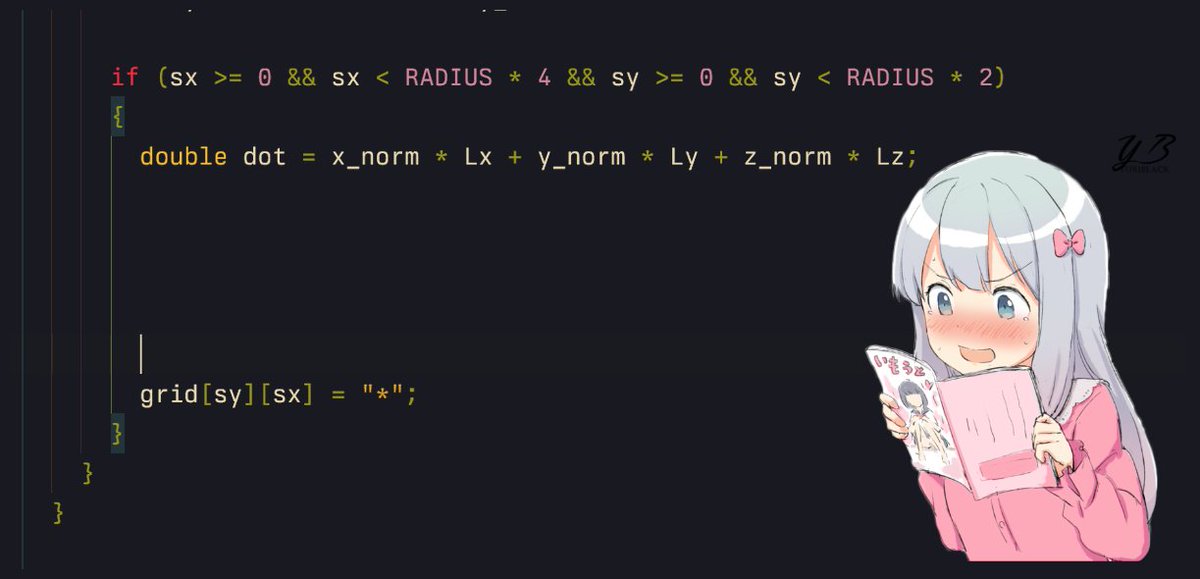
13/n dot product of 2 normalized vectors is between -1 and 1, so to fetch shades from 0 to num_shades, multiply it
14/n but we get some devil negative values too :c (if dot is negative), lets cut them
15/n and finally... instead of * we use the shade ✿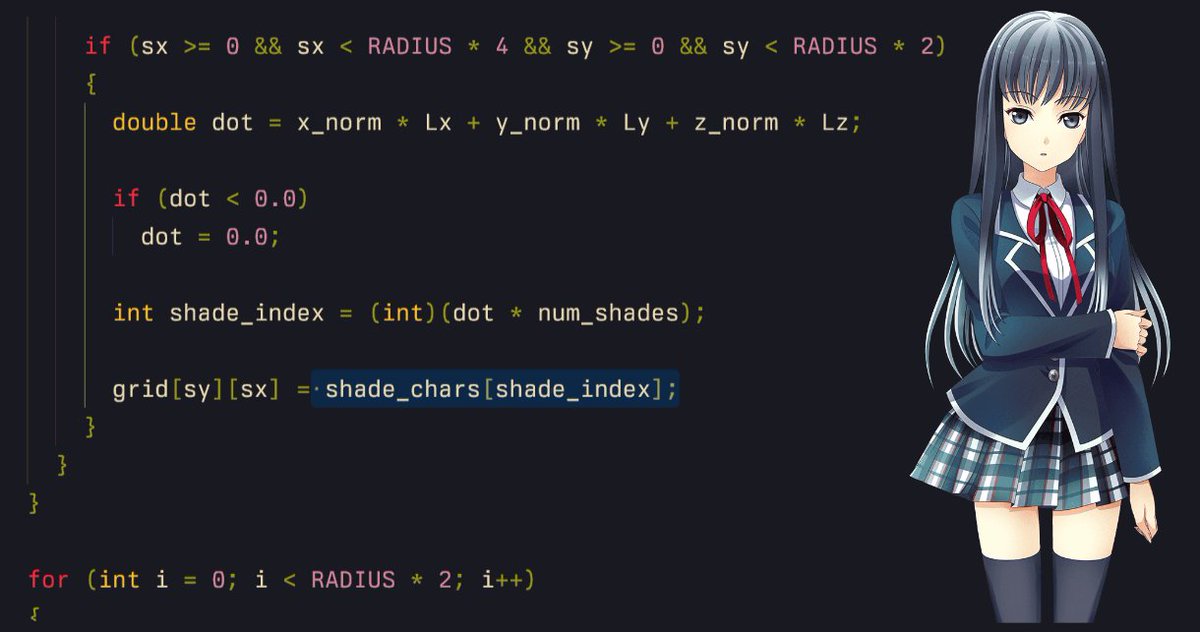
16/n woww (★‿★)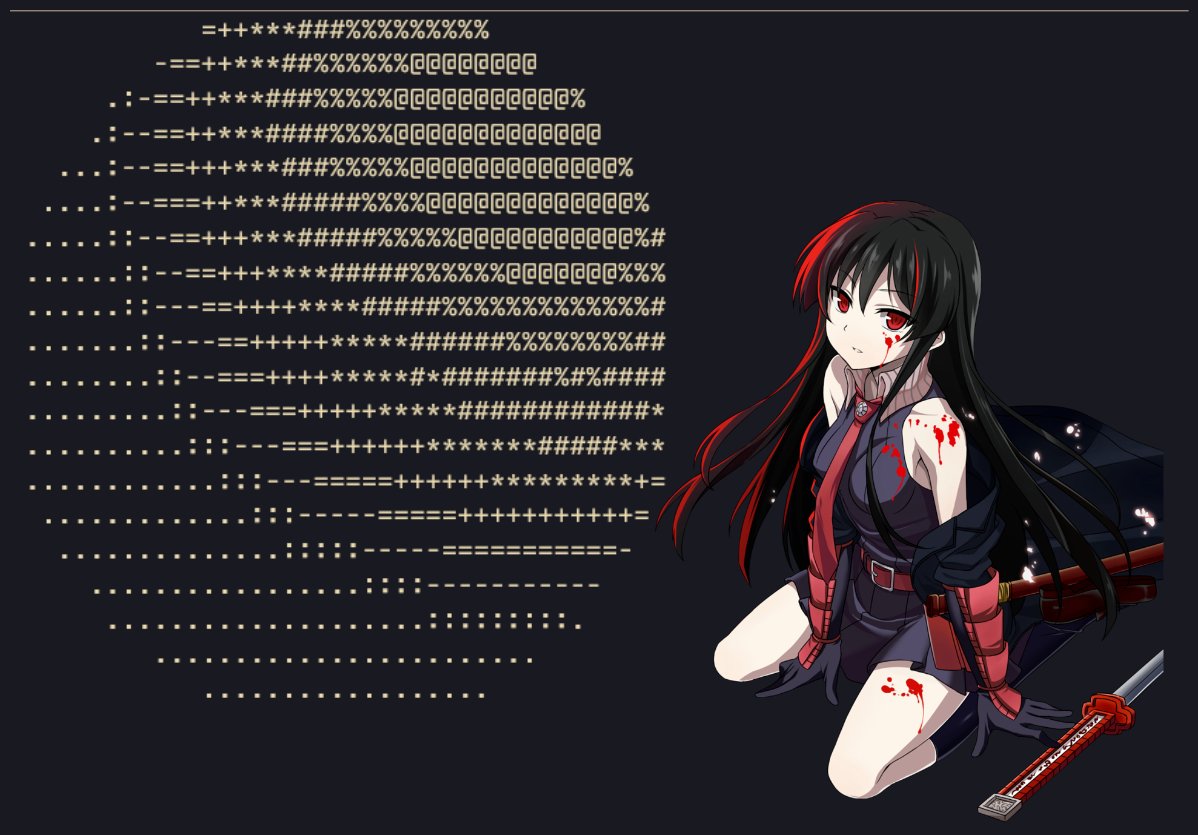
17/n play around with different shades (ask ai) and (lighting) positions~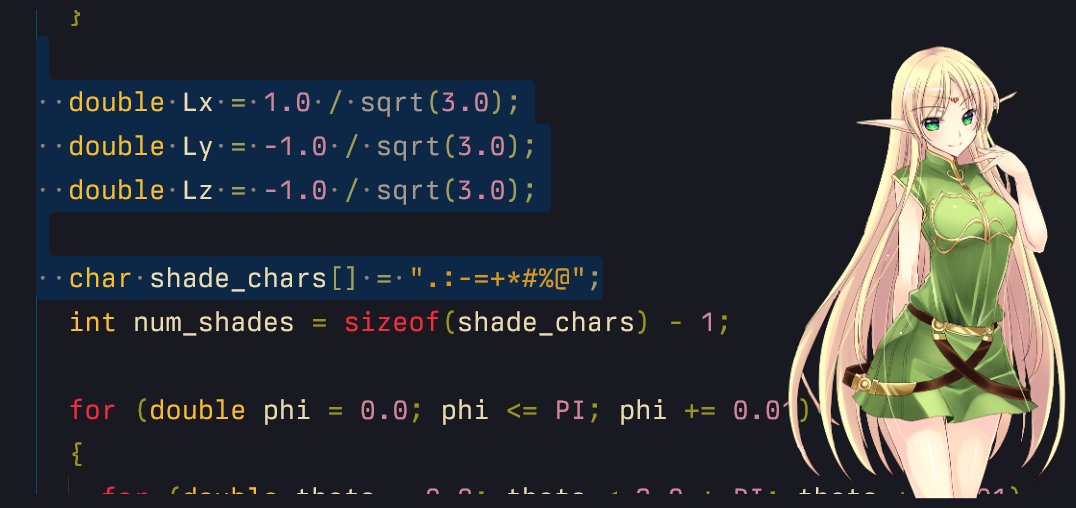
18/n full codegist: https://gist.github.com/ForLoopCodes/ae980f50df5122f8e1682fcbfec9e236
follow for more!!!what we will cover next:
animations
a donut
we might make an ascii rendering engine

chapter 3: how to add animations to the ascii sphere explain like im 5 🧵 (ft. frieren)

video: https://x.com/i/status/1993651511474467028
0/n animationslets do a little rework and add a new angle for light =D
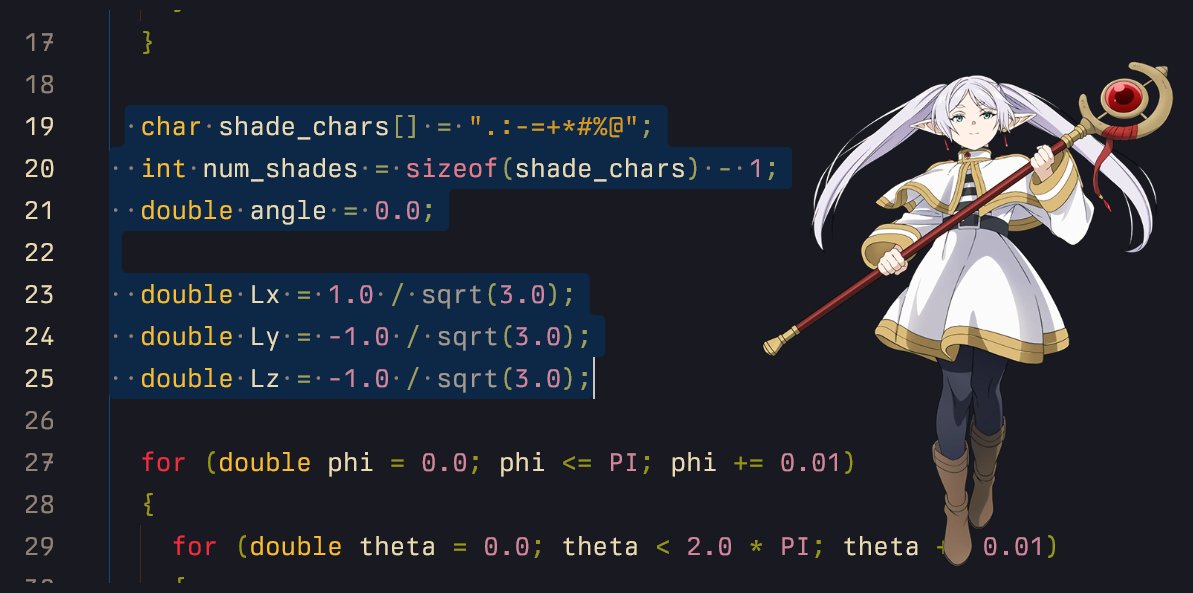
1/n making light use angle and not constants (=^・ェ・^=)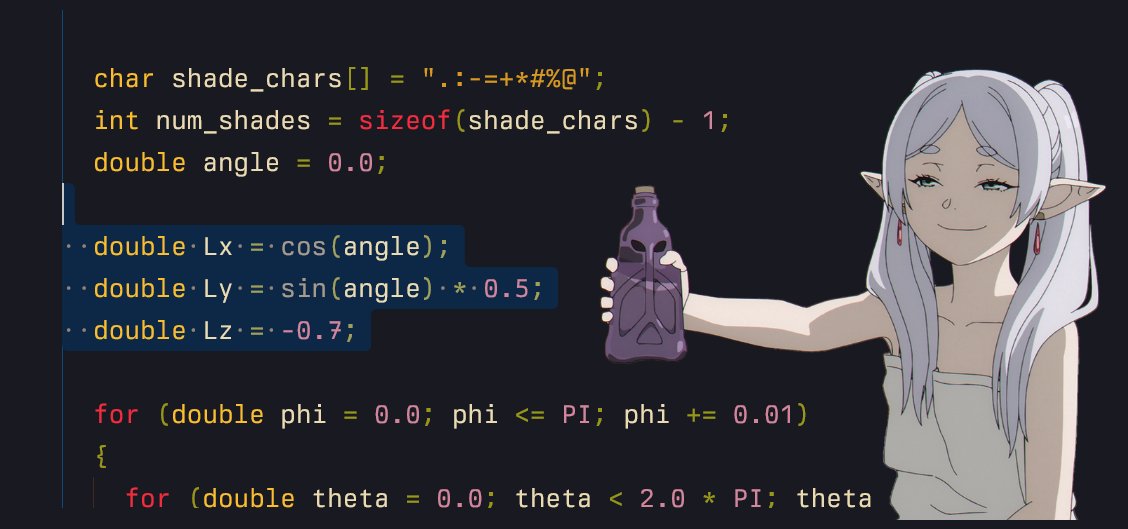
2/n but now its not a unit vector, lets normalize it ( ♡ )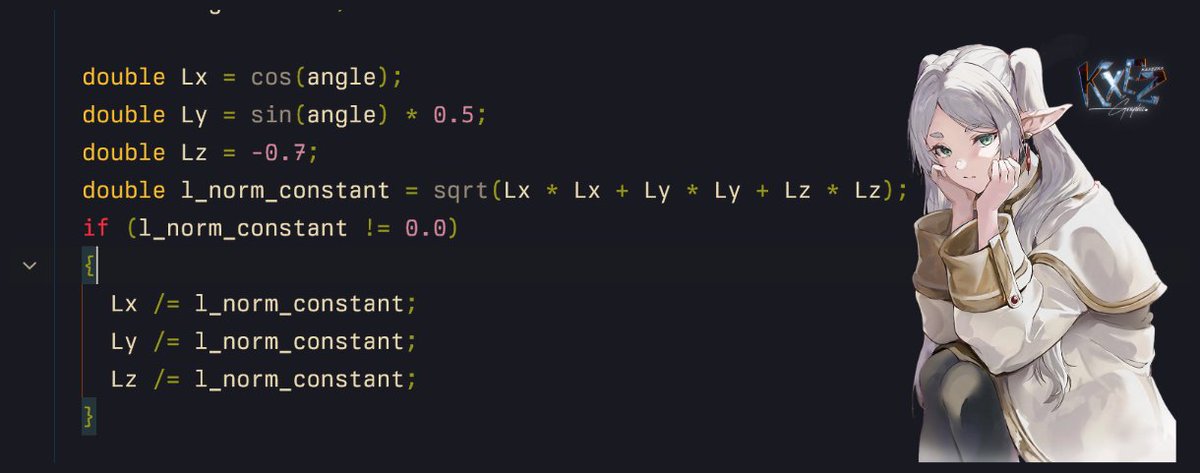
3/n a while loop? (nahh i hate this)okay, how will it work?
while (1)
update light value with angle 's value
clear grid
calculate phi/theta and print grid
angle+=0.1
sleep(50)
repeat

3.1/n update light value with angle 's value in my least favorite loop (⋟﹏⋞)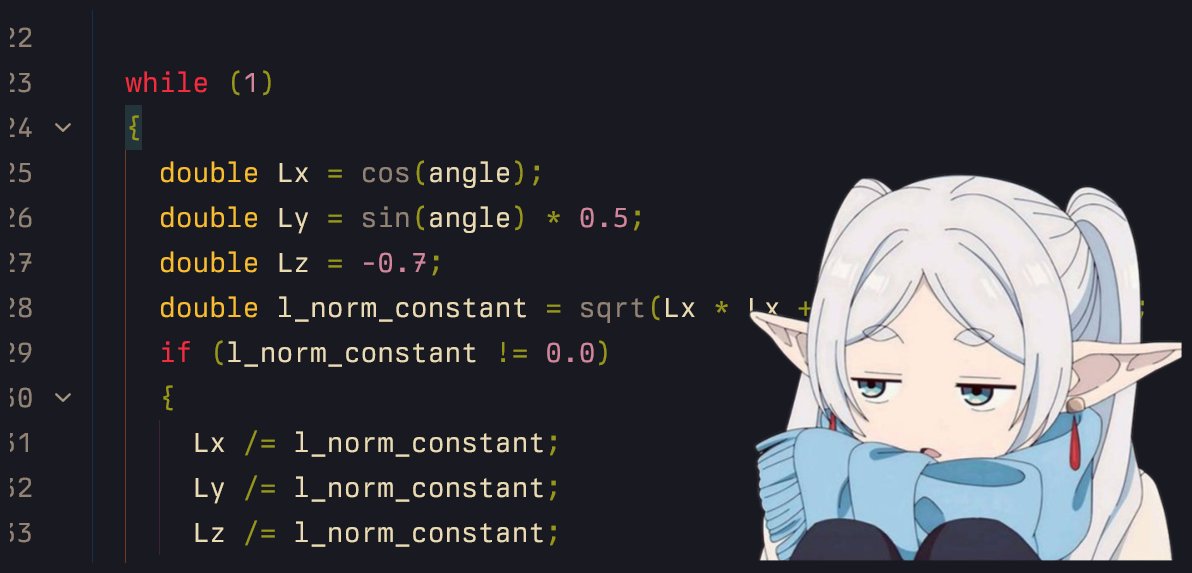
3.2/n clear grid (before phi/theta code and after new light position)note: this special character is probably for windows only

3.3/n
angle+=0.1
sleep
windows: Sleep(50) and, # include linux: usleep(50000); and, # include
repeat
bonus: clear screen before next frame using that magic sequence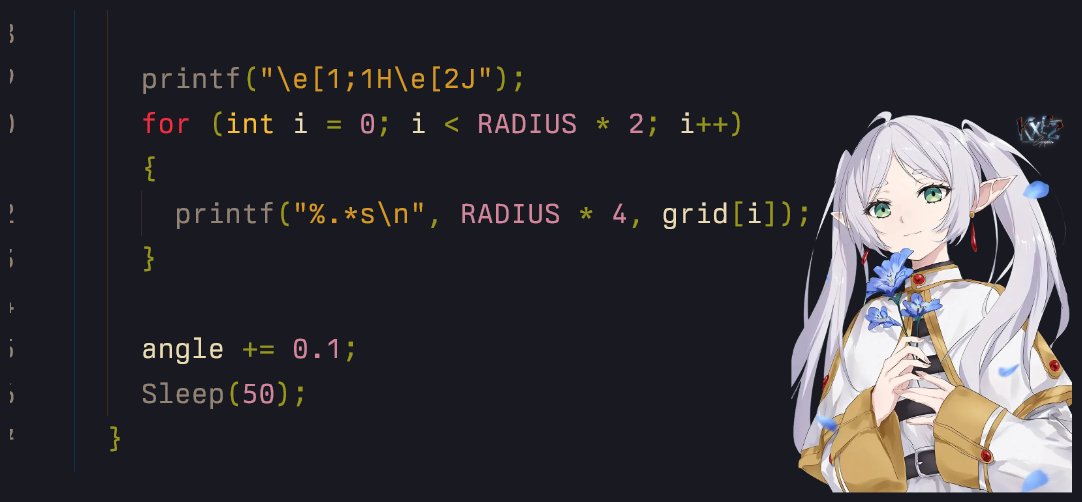
4/n play around with different (light) positions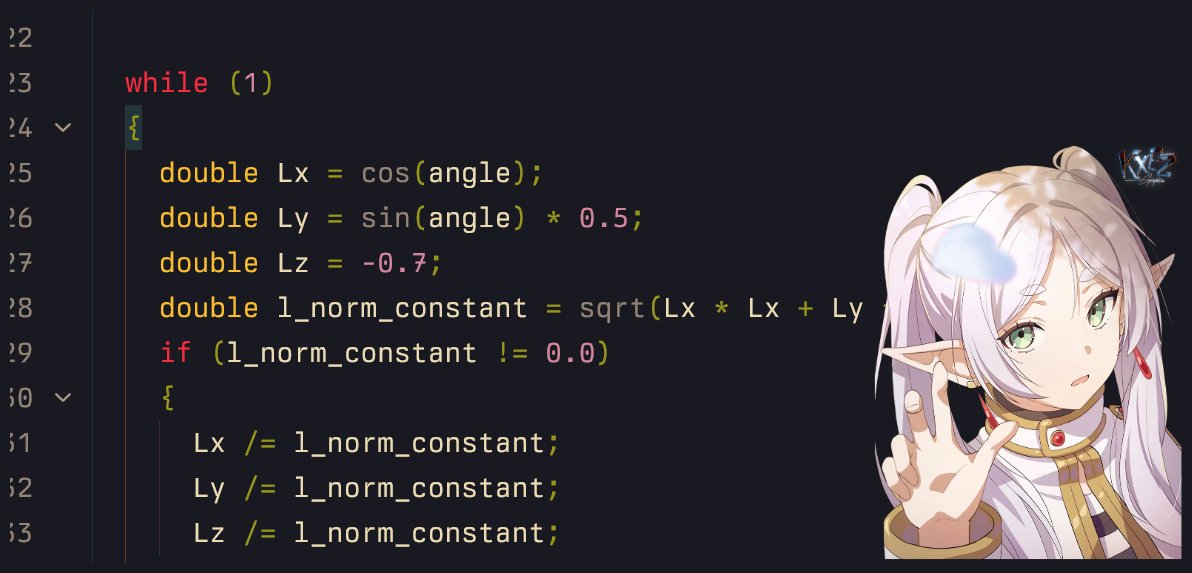
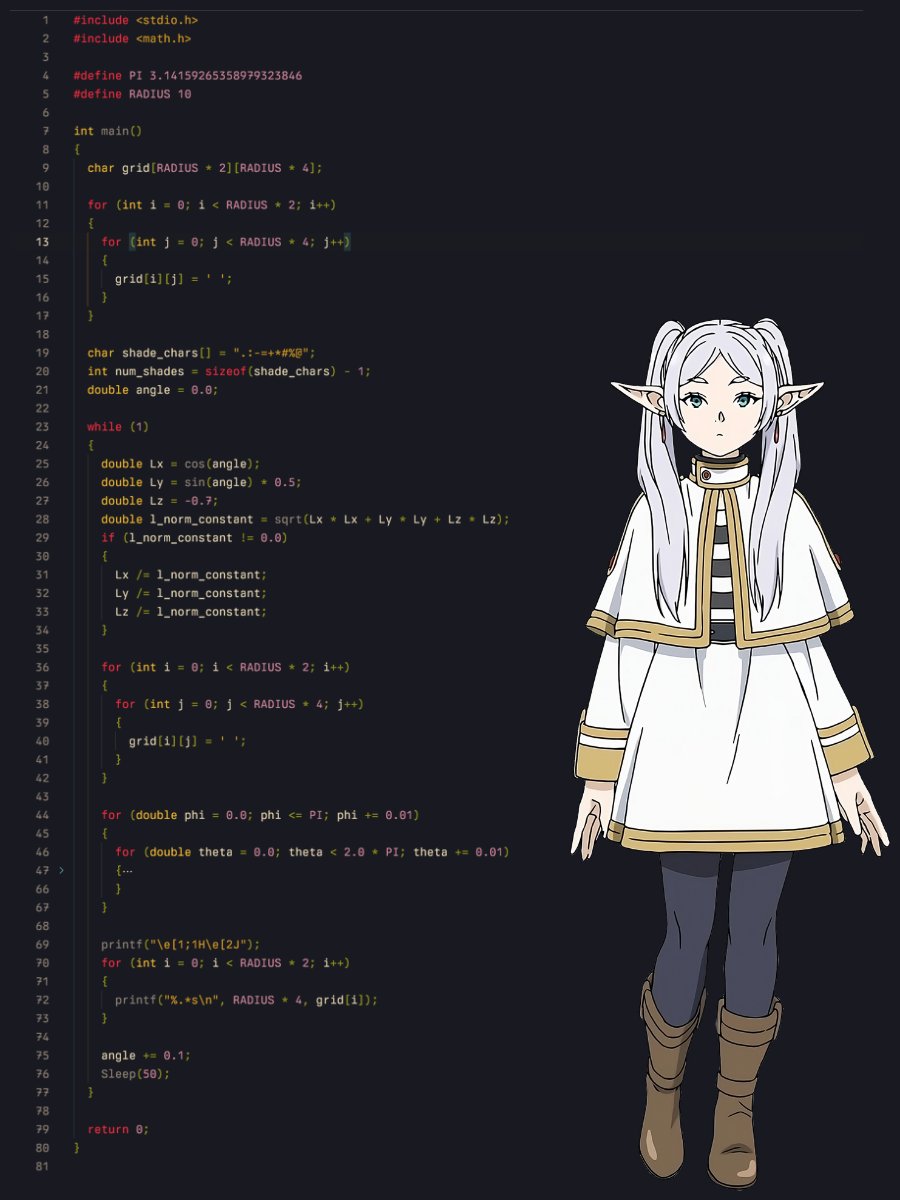
5/n full codegist: https://gist.github.com/ForLoopCodes/cd2f156ead3780986757d4b633816a62
follow for more!!!what we will (might lol) cover next:
a donut
we might make an ascii rendering engine

follow me on x dot com for morethreads: